




Calls & call handling
What do I need to know about call recording with Cradle?
What you can record with Cradle, where recordings live, how long they're kept, and the legal points to think about in NZ, AU and the UK.
Why record your calls?
- Help your team reflect on conversations and improve how they communicate.
- Onboard new team members so they pick up the voice of your business.
- Keep accurate records of what was said to customers.
What you can record with Cradle
You can:
- Record on demand: tap the record button mid-call on the Cradle desktop, iOS, or Android app.
- Record all inbound calls to a number or rule, if that's permitted in your region.
- Record all outbound calls for a specific user, if that's permitted in your region.
The on/off controls live in the admin portal under the relevant user, number, or rule.
Where recordings live
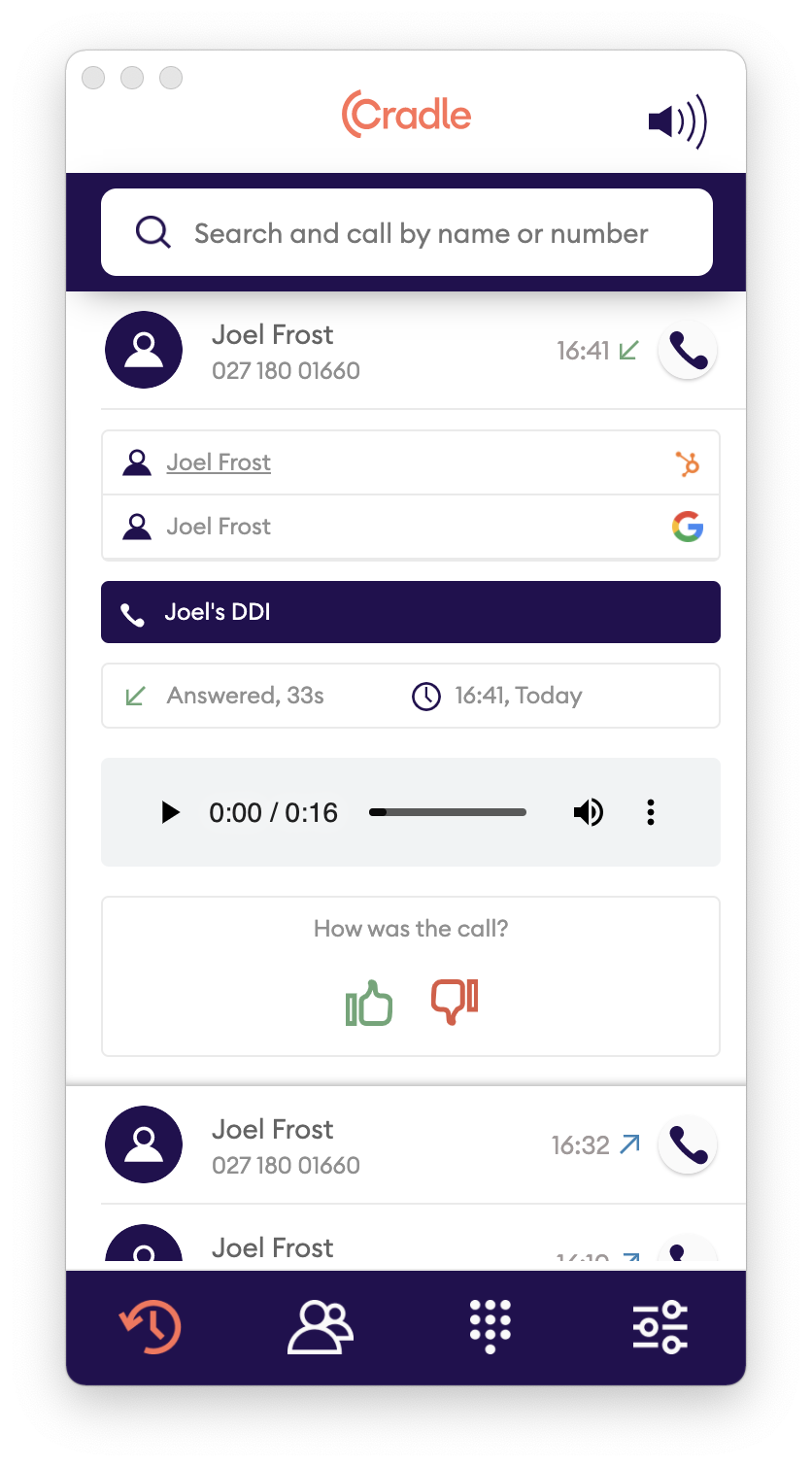
Recordings appear on each call's detail row in the call log on the Cradle desktop, iOS, and Android apps. Open the row and use the menu (three vertical dots) to play, download, or share.
If you use the HubSpot integration, the recording is attached to the contact record alongside the call engagement.
How long are recordings kept?
Recordings are kept for 28 days by default. If you need to keep a recording for longer, download a copy and archive it on your own system.
If you cancel your subscription, recordings are deleted. Recordings made during a free trial are deleted when the trial ends unless you start a paid subscription.
How much does recording cost?
Call recording is charged per minute (and part thereof), in addition to standard call charges. It applies to both inbound and outbound recorded calls. See your plan in the admin portal for the per-minute rate.
Legal considerations
If you record calls with Cradle, you're responsible for following the laws and regulations that apply in the regions where you make or receive calls.
Important
This is general information, not legal advice. Talk to your solicitor or legal counsel before turning recording on, especially if your team takes calls across multiple regions.
Working out which laws apply can get complicated when the caller and the recipient are in different states or countries. Industry-specific rules (financial services, healthcare, debt collection) often layer extra requirements on top of the general privacy and recording laws. Get your specific use case reviewed.
New Zealand
Under New Zealand law, you can record a conversation you're a party to without telling the other party. The Privacy Act still applies, so you need a clear, lawful reason for recording and for how you use, store, and share the recording. The Citizens Advice Bureau has a plain-English summary.
Australia
Recording rules differ by state and territory in Australia, and a single call can fall under more than one set of rules. Several states require all parties to consent; others permit recording by a party to the call. Treat consent and notice as the safe default and check the rules for the states you call into. The Office of the Australian Information Commissioner covers the privacy obligations.
United Kingdom
For business use in the UK, a party to the call can record it, but UK GDPR and the Data Protection Act 2018 set the rules for how you collect, store, secure, and share recordings. You also need to inform callers and have a lawful basis for processing. The Information Commissioner's Office has practical guidance.
Best practice when recording
It's common for businesses to record calls, and most customers expect it. We still recommend letting callers know the call may be recorded.
Because recording in Cradle is opt-in by default, the moment you turn it on mid-call is a natural prompt: tell the person on the line that you're now recording, and why. For inbound numbers where all calls are recorded, add a short message to your greeting.
Cradle Ltd accepts no liability for the legal implications of recording calls. Complying with the relevant laws is your responsibility.
Ready to get started? See how to control call recording.