




Admin & setup
Is my internet good enough?
If you're wondering whether your internet and computer will handle Cradle, read this.
Cradle doesn't require gigabit fibre, but you do need a reliable internet connection. There are several parts of your on-site setup that affect how well Cradle works.
For desktop users
Use ethernet with your computer
WiFi is notorious for introducing a large amount of jitter (think of this as tiny parts of your voice arriving in the wrong order). This means either some of it gets dropped, or the whole voice is delayed so we can put it back into the right order.
Run a speed test
Please run these two tests to see if your raw internet speed is good enough to handle Cradle (and a modern business).
This speed test will tell you how fast you can download and upload data, and how much latency you have to your closest server. It also gives a broad indication of jitter. The results will look like this:
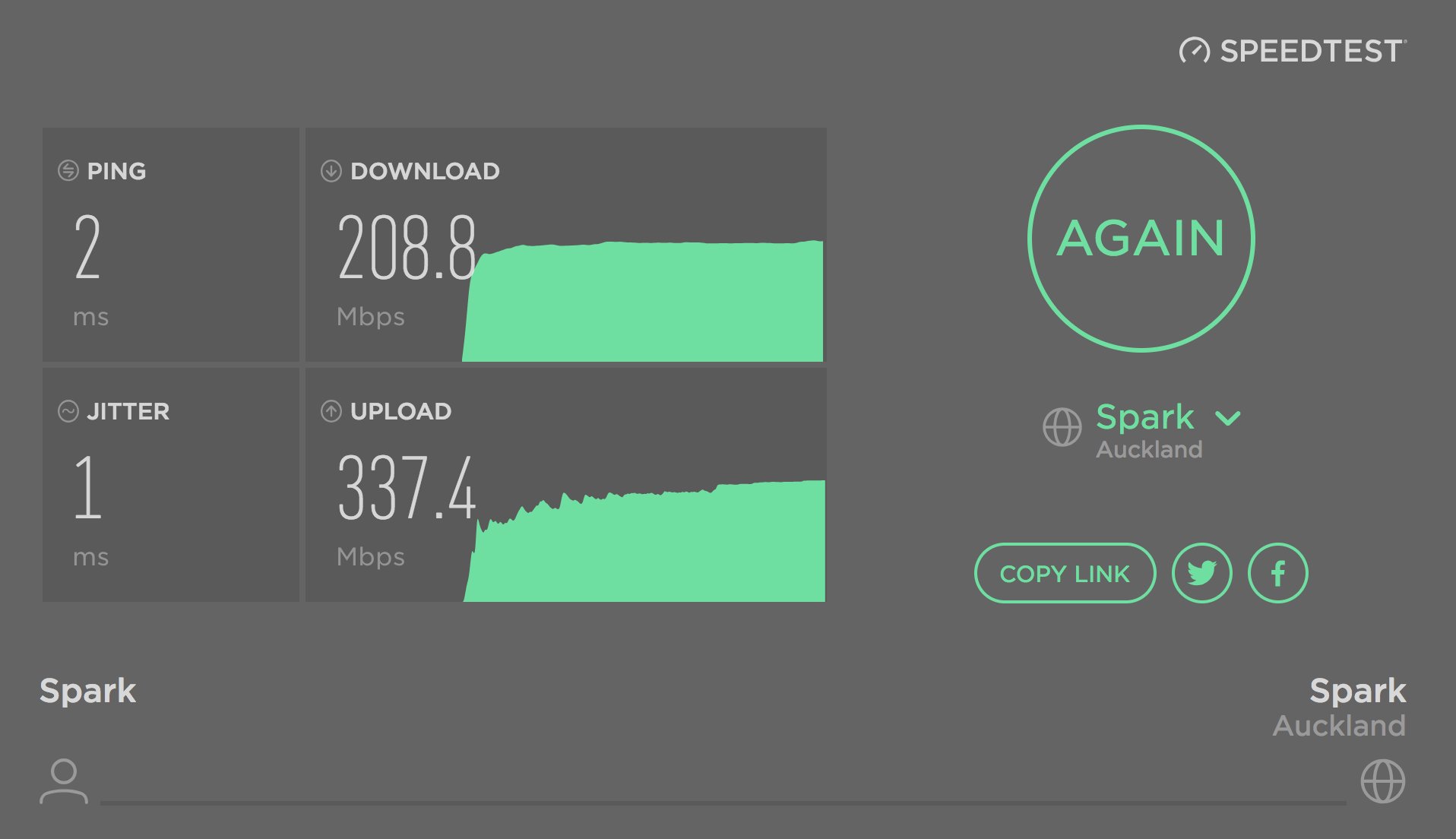
Desired results
- Download and upload of more than 5 Mbps
- Ping time to your closest server of less than 5 ms
- Jitter of less than 5 ms
If you'd like a more detailed read on whether your network is suitable for real-time voice, run a VoIP-specific network test like the one at networktest.twilio.com.
Run this test from a computer, not a phone. It exercises your browser's calling path, so it's a good stand-in for the Cradle desktop and web apps on the same network. It isn't a useful test for problems in the Cradle iOS or Android apps (it doesn't measure the mobile app's calling path, and it behaves unreliably in mobile browsers). For a mobile app issue, raise a support ticket and describe what you're hearing instead.
Desired results
- All five tests should Pass.
- For the Bandwidth test, your minimum bandwidth should be at least 500 kbps.
- Your minimum bandwidth across several runs should be 500 kbps, plus 100 kbps for the number of phone calls you expect to have at any one time. For example, if you have 20 people and expect up to five concurrent calls, aim for 500 + 5 x 100 = 1,000 kbps minimum.
What if I don't meet these minimums?
It's probably best to talk to us. If the basic speed test looks good but the network test doesn't, your router is most likely not fit for purpose for VoIP or other modern business requirements. We can help you with configuration or alternative network setup.
For mobile users
Cradle on mobile has the same fundamental constraint: it can only work when you have an internet connection. We see very few issues with customers using Cradle over 4G connections in New Zealand, but more issues on older phones on 3G, especially in areas where 4G coverage is dense (3G spectrum is increasingly limited). We also see more issues with customers on mobile in Australia, so if you can't make a phone call or browse the internet on your mobile, you won't be able to use Cradle either.
For mobile users on WiFi, the same factors as above apply. You can't use ethernet, but it's still important that your router has a good connection to the world.
You can also improve performance by making sure your WiFi is on a relatively unused channel, and preferably close to the devices that need to connect to it. If you have an office with 30 people, and are still using the standard white router your ISP provided, it's time to upgrade. We can suggest some suppliers if you need a network rethink.
Think you're ready to start talking like humans again? Click here to see what's next in the sign-up process.
Further reading
Check out our page on advanced network setup to ensure you have the best quality calls using Cradle.