




Integrations
Report on inbound vs outbound calls in HubSpot
Build a HubSpot custom report that splits Cradle calls into inbound and outbound volumes.
Cradle writes a recognisable phrase into the call notes of every engagement it logs to HubSpot. You can filter on those phrases when building a HubSpot custom report to split your call activity into inbound and outbound. This article walks through how to build the report in your own HubSpot account (custom reports are part of Sales Hub Professional and above).
Use these phrases as your filter terms:
| Call type | Search term |
|---|---|
| Incoming call that was answered | called and spoke to |
| All incoming calls | They called |
| Missed incoming calls | was missed |
| Outbound calls | Number dialled by |
Build the report
In HubSpot, go to Reports → Reports → Create report → Custom report.
Choose Single object, select Activities, and click Next.
Add the following activity properties to your report:
- Activity date
- Activity type
- Call duration
- Call notes
- Call outcome
- Activity assigned to
- Details
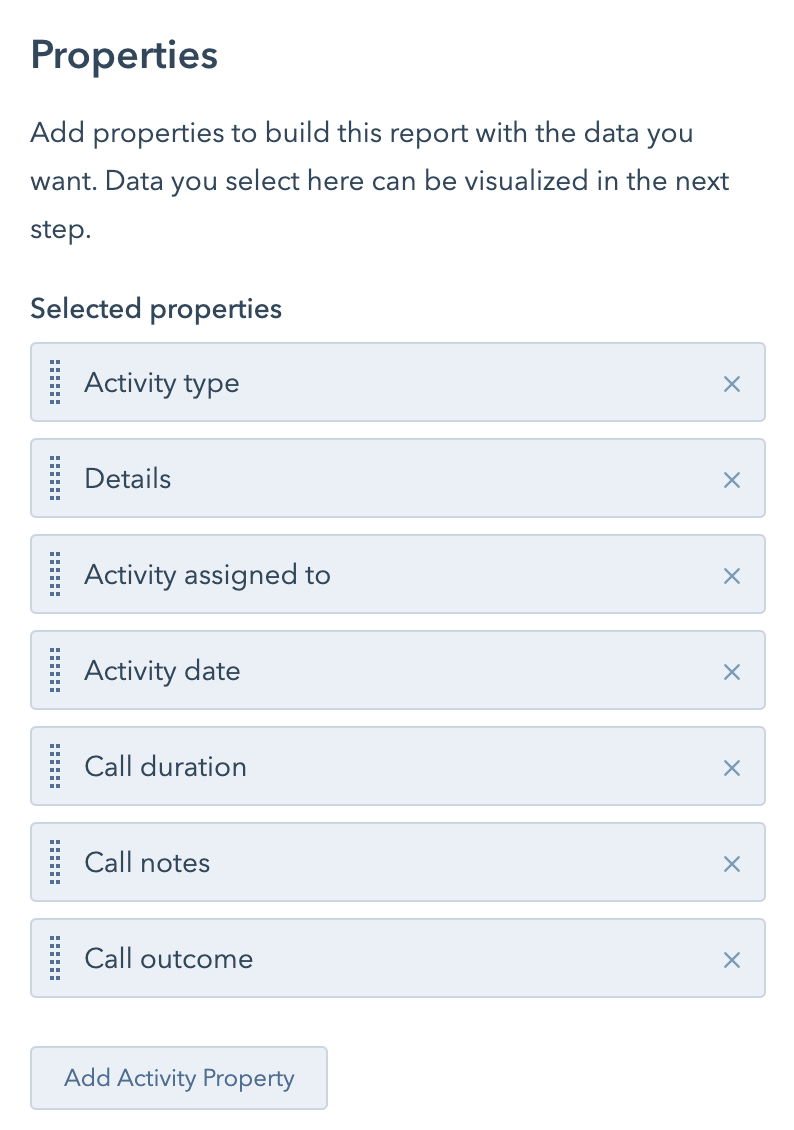
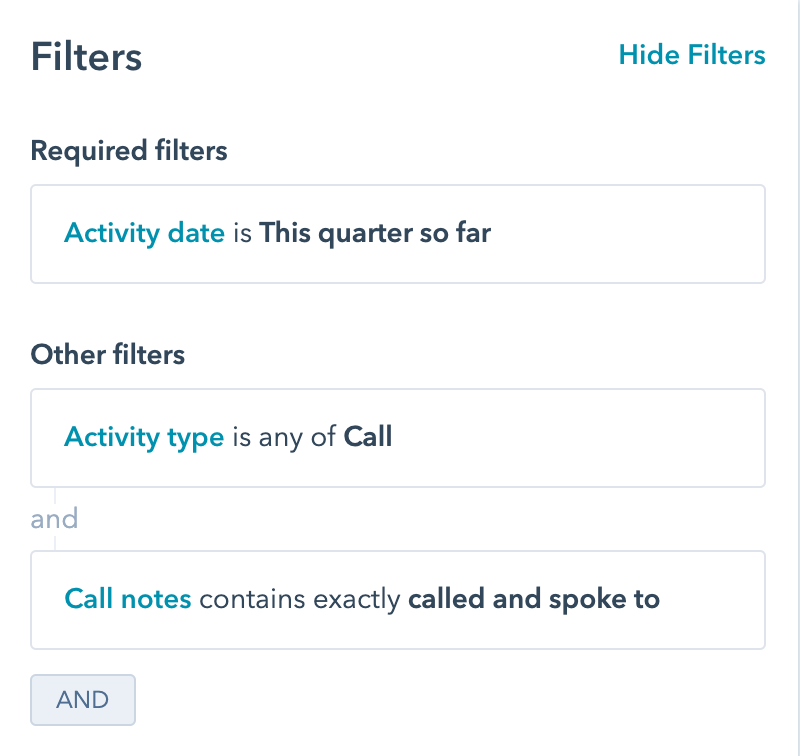
Set the time period you'd like to report on, then add these filters:
- Activity type is any of Call
- Call notes contains exactly {the search term from the table above}
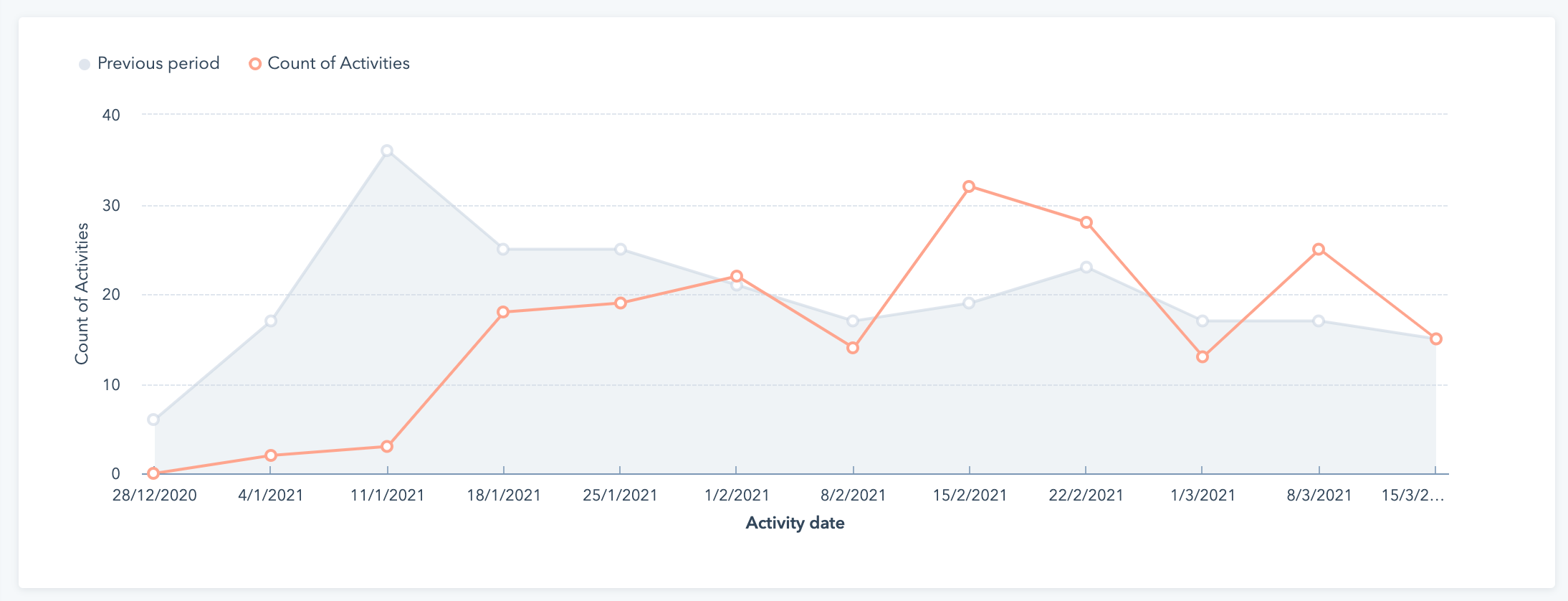
Switch to Visualisation and pick the chart type that suits the comparison. The example below shows the count of incoming calls compared against the previous period.
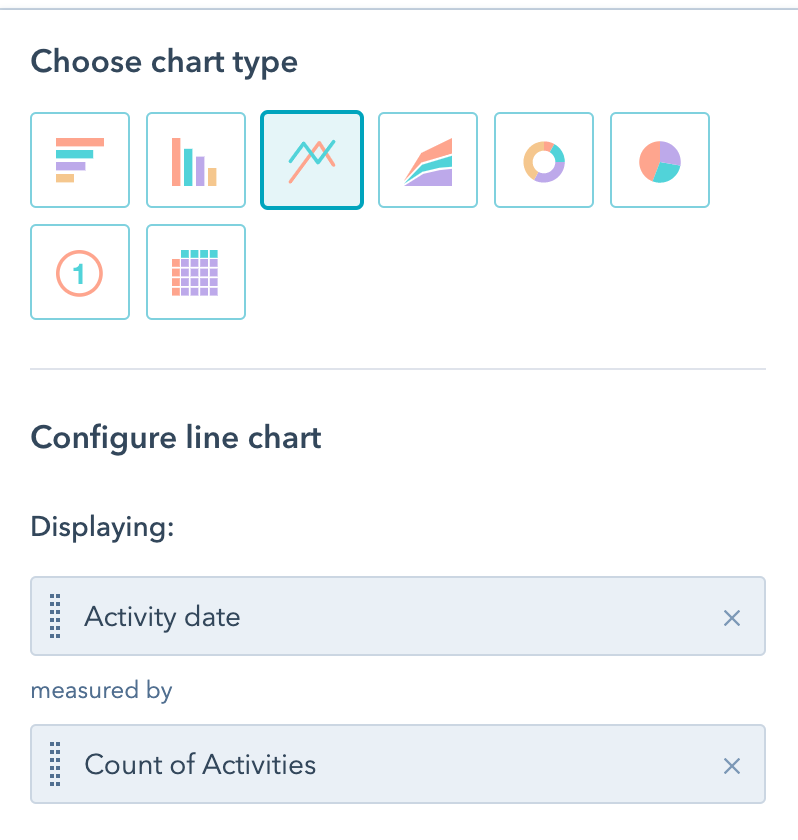
Duplicate the report and swap the search term to build the matching view for each call type.
Things to watch for
- If anyone on your team edits the Cradle-generated call notes (either adding text that matches another search term or removing Cradle's text entirely), the report will miss those calls.
- Call durations in HubSpot won't always match what you see in Cradle:
- Cradle posts one leg of each call to HubSpot, so transferred or multi-leg calls show a shorter duration.
- HubSpot's duration only counts time on the phone. Cradle's reporting also counts ring time.
Need a hand getting the report right? Get in touch with us at help@cradle.io.