




Integrations
Support callback booking
Have your customers leave their details for a callback when you're busy on the phone with other customers.
This HubSpot workflow raises a task for the contact owner whenever a customer leaves a voicemail, so support staff get an automatic reminder to call them back. Pair it with a clear voicemail greeting in Cradle asking callers to leave their details, and you've got a lightweight callback booking system.
For a refresher on the properties Cradle writes into HubSpot, see List of Cradle properties.
Cradle trigger you'll use
- Details of Last Cradle Call
Build the workflow
In HubSpot, go to Automation → Workflows → Create workflow → Contact-based.
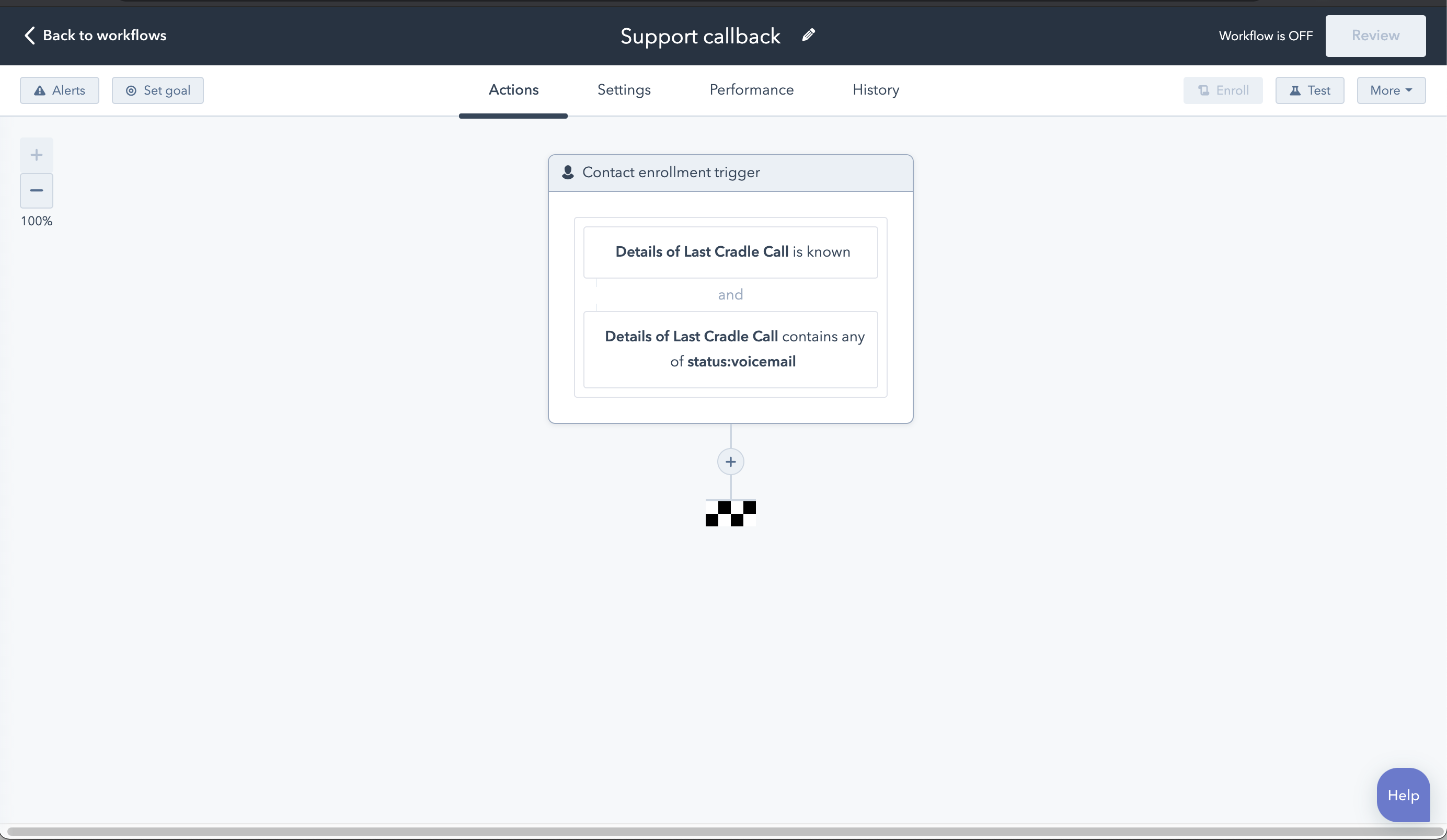
Add two enrolment triggers (combined with AND):
- Details of Last Cradle Call is known
- Details of Last Cradle Call contains any of
status:voicemail
Add the callback task
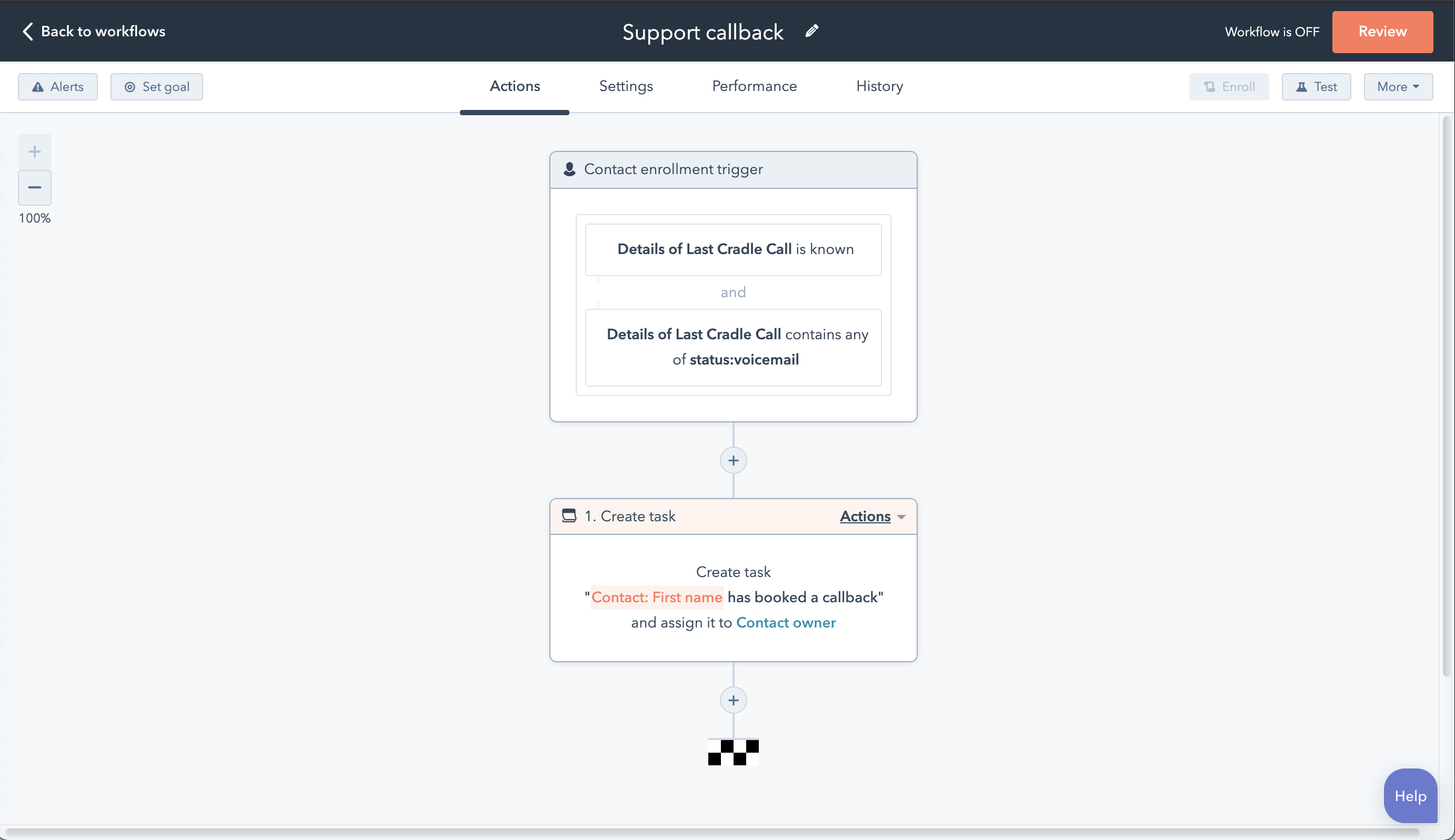
Add a Create task action. Set the task title to something like "Call back [Contact name]", assign it to the contact owner, and give it a due date that fits your team's SLA.
Allow re-enrolment
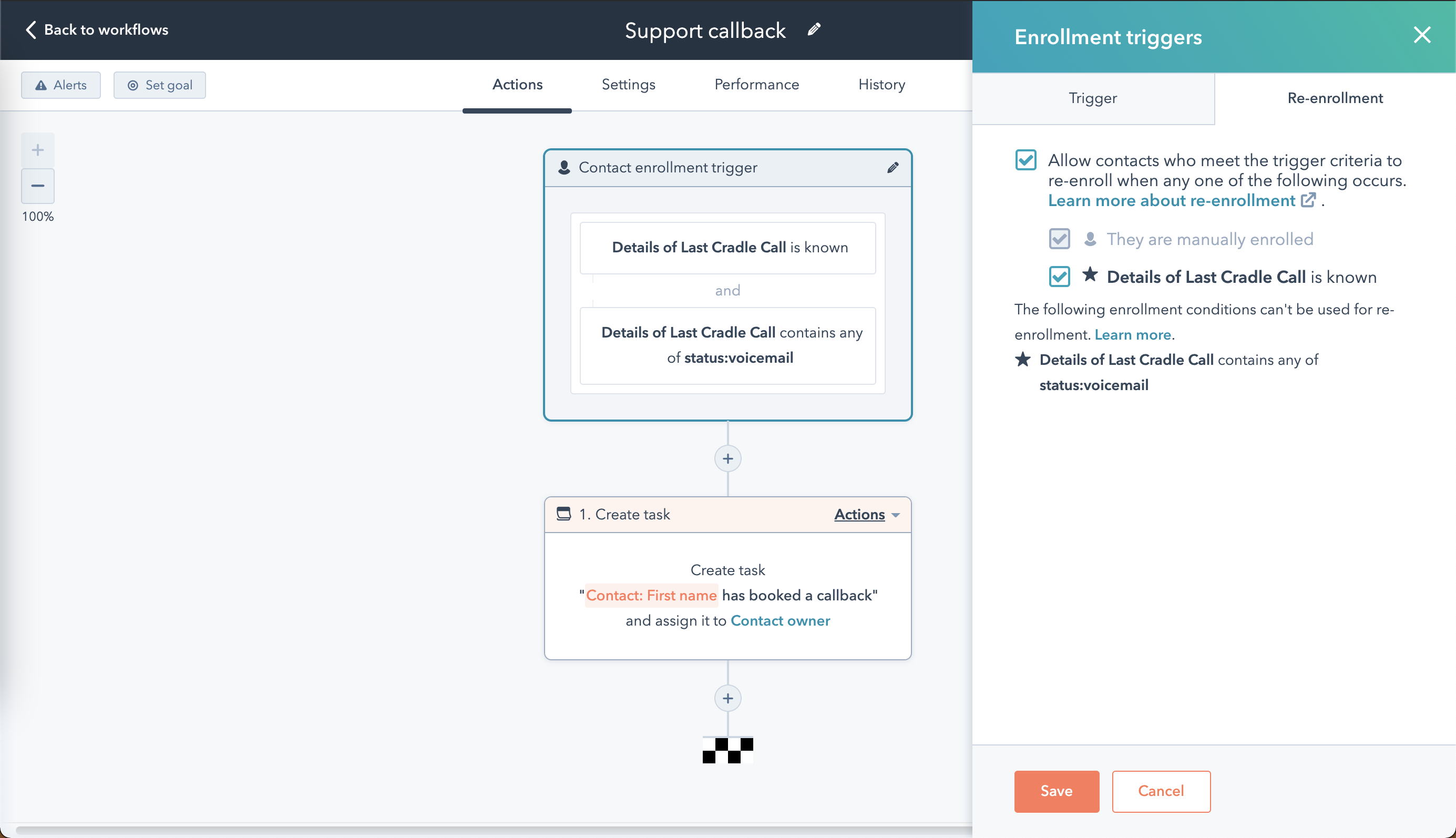
By default, a contact only goes through a workflow once. To make sure repeat callers trigger another task, click Review in the top right of the workflow editor, then open the Re-enrolment section. Select Allow contacts who meet the trigger criteria to re-enrol when any one of the following occurs, then tick the box next to Details of Last Cradle Call is known.
Reset the property at the end
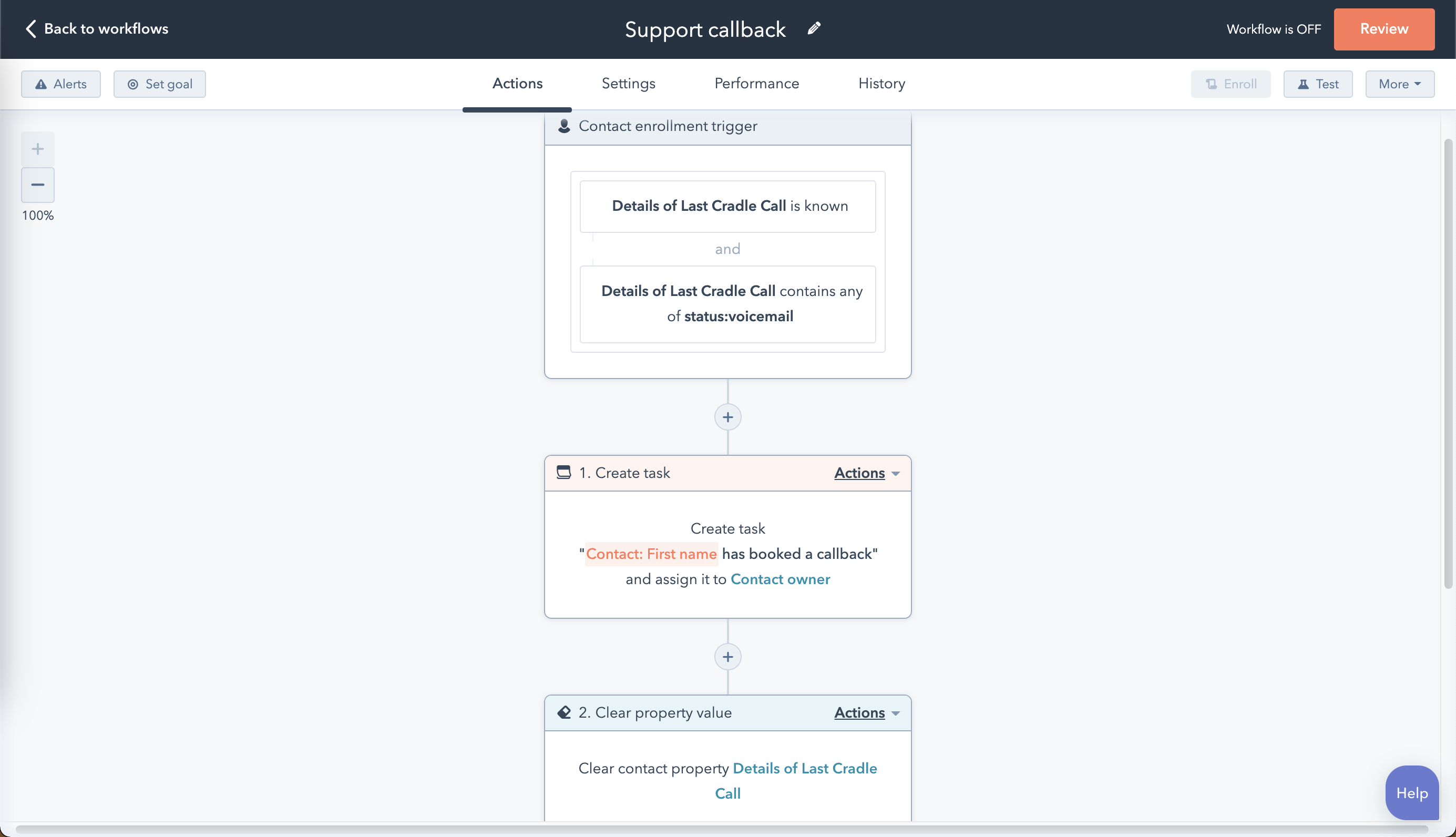
Finish the workflow with a Set property value action that clears the Details of Last Cradle Call contact property. Without this step, a contact won't be re-enrolled if they leave a second voicemail before the first task is closed.
Save the workflow and run a quick test from your own phone to confirm the task lands with the right owner.