




Calls & call handling
Voicemail overview
How voicemail works across incoming calls, after-hours, team calls, and transfers.
Cradle routes unanswered calls to voicemail in several places. Here's where voicemail kicks in and how to set up each message.
Incoming calls during business hours
Most inbound calls during hours route to a Group. If nobody in the Group picks up, the call drops to voicemail. The Group's voicemail greeting is set in the admin portal under the Group's settings.
Incoming calls out of hours
Outside business hours, you can send calls straight to voicemail using a Rule. See how to route calls for the setup.
Team calls
When you call a teammate through Cradle, the call rings them for 25 seconds. If they don't answer, the caller hears a default voicemail greeting (or your teammate's personal message if they've recorded one), records a message, and Cradle emails the recording to your teammate. There's nothing to switch on, it's included for every user.
The default voicemail greeting voice can be changed in the admin portal under Advanced.
Transferred calls
Blind transfers
If a blind transfer goes unanswered, the caller is sent to the recipient's voicemail. They'll hear the recipient's personal greeting (or the default Cradle greeting), leave a message, and the recording is emailed to the recipient.
Warm transfers
If you're attempting a warm transfer and the person you're transferring to doesn't pick up, you'll reach their voicemail instead of being reconnected to the caller. You can:
- Leave a context message, for example "Hi Sam, I've got Andy on the line about next week's meeting."
- Skip the message by clicking Back to call before the greeting finishes.
- Put the caller through to leave a message directly: click Back to call, let your caller know what's happening, and then blind transfer them so they hear the full greeting.
Recording your personal voicemail
To record your own greeting, call yourself from the team page on the Cradle desktop app. You'll hear your current message; stay on the line to record a new one, then hang up to save.
Your personal greeting plays for:
- Team calls
- Blind transfers to you
- Warm transfers to you
- Direct calls to your DDI
Listening to voicemail
Voicemail arrives as an email. The email includes:
- An MP3 of the recording.
- A link to play it in your browser.
- A transcription of the message.
- Any contact matches Cradle has for the caller (integration customers only).
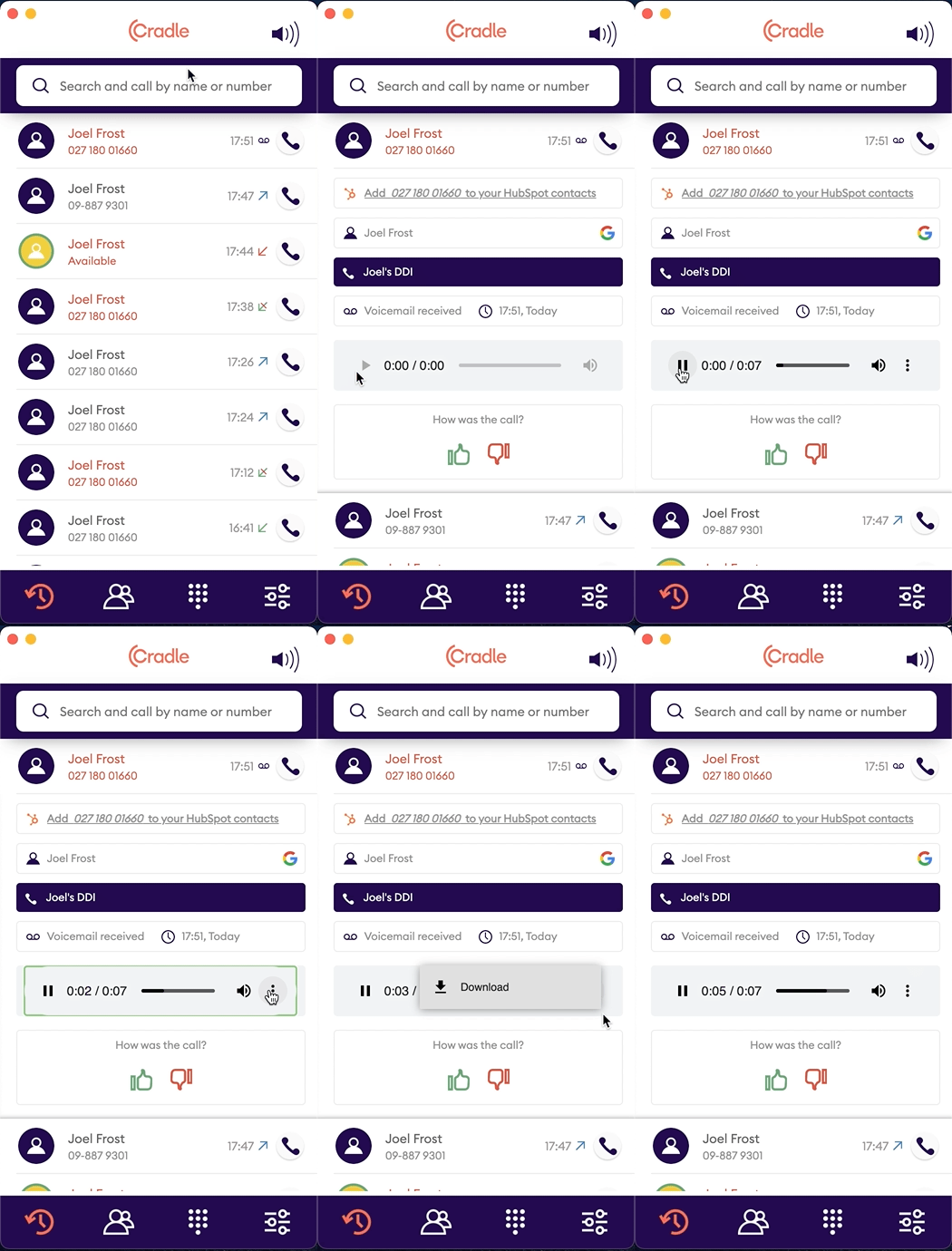
You can also play voicemail from the Cradle desktop app: open the missed call in your call log and hit play. You can download the audio file from the same view.
FAQs
Which email address does voicemail come from? All voicemail is delivered from voicemail@cradle.io. Add this address to your safe senders or allowlist so it doesn't get caught by spam filters.
Can Group or after-hours voicemail go to a different email address, such as a shared inbox? Yes. Each Group has its own voicemail email setting in the admin portal.