




Integrations
Cradle and HubSpot workflow: dealing with voicemail
Auto-create a task for the contact owner whenever a lead or customer leaves a voicemail.
When a lead or customer calls and you can't get to the phone, you don't want their voicemail sitting in an inbox until someone notices. This workflow uses the Details of Last Cradle Call contact property to create a callback task for the contact owner whenever a voicemail comes in.
If you want to segment further (for example, only do this for contacts in particular pipeline stages), add an if/then branch. The example below keeps it simple.
1. Enrollment and re-enrollment
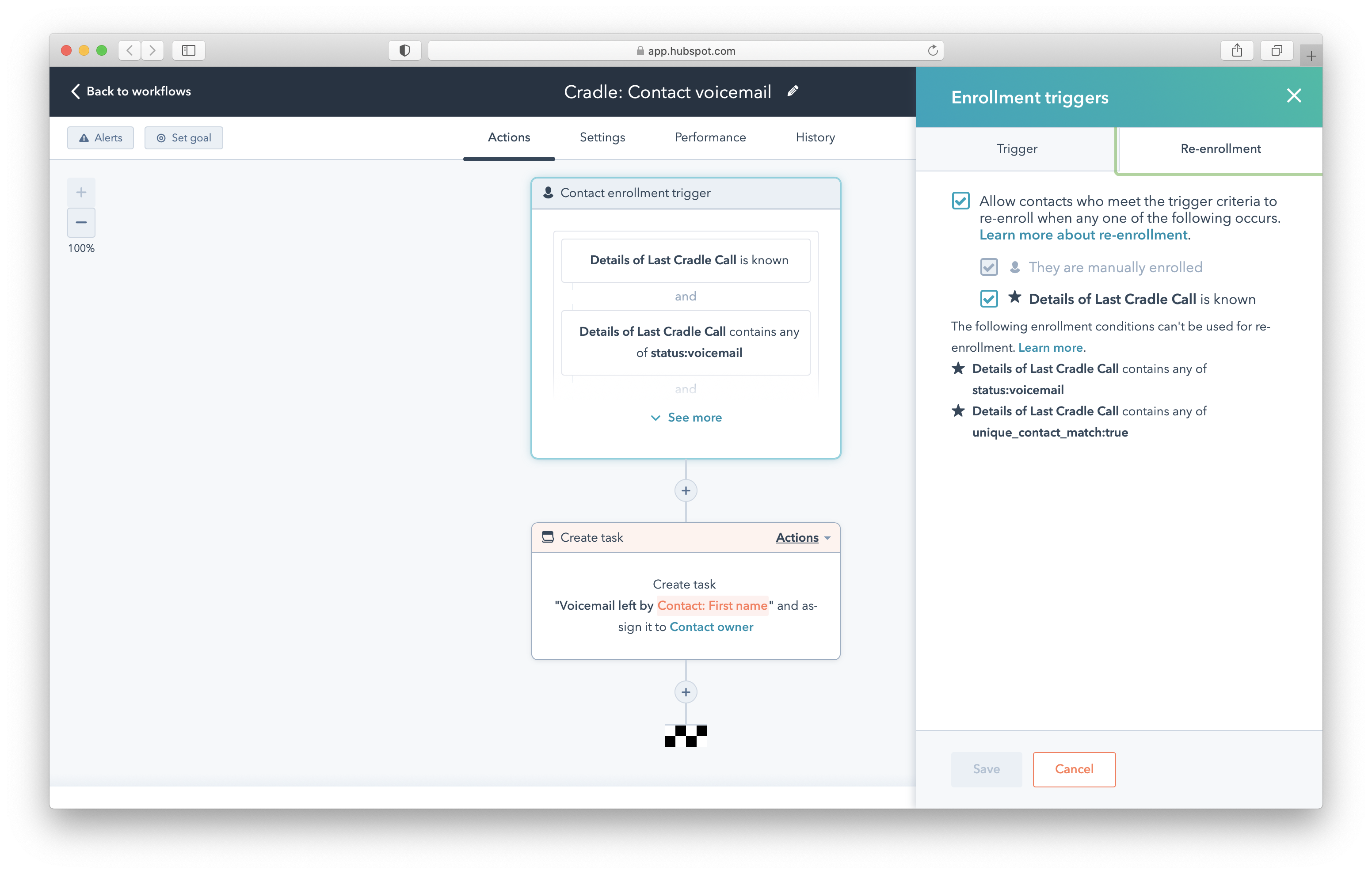
Set the enrollment trigger to Details of Last Cradle Call is known.
Under re-enrollment, select Allow contacts who meet the trigger criteria to re-enroll when any one of the following occurs, then tick the box beside Details of Last Cradle Call is known. This ensures the workflow fires again next time the same contact leaves a voicemail.
2. Filter for voicemails only
Add two enrollment triggers:
- Details of Last Cradle Call contains any of
status:voicemail - Details of Last Cradle Call is known
3. Set the action
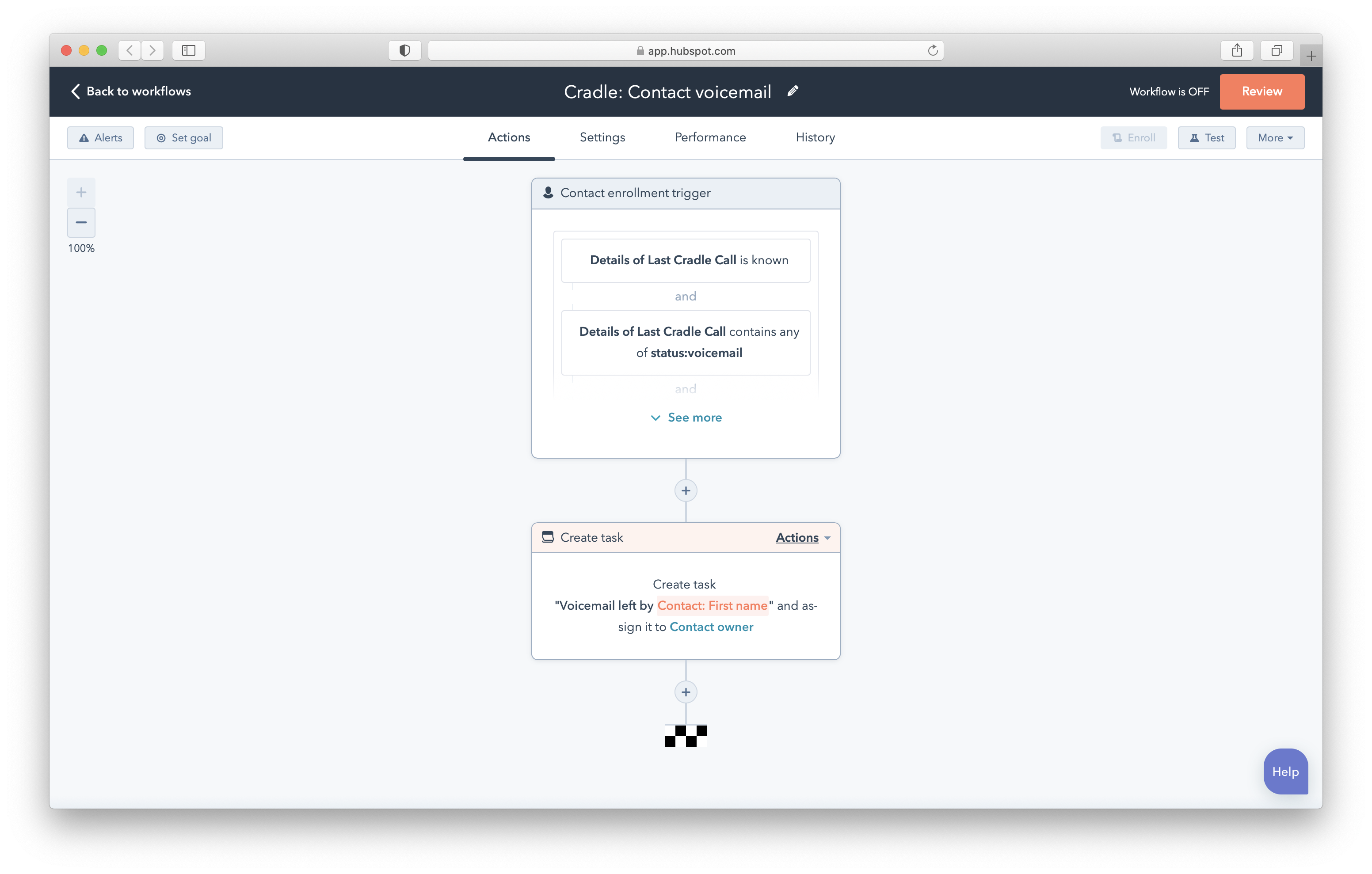
Choose the action you want to run. In this example, we create a task on the contact owner to call the contact back.
4. Clear the property at the end
End the workflow with a Clear property value step that clears Details of Last Cradle Call. Without this step, the workflow won't re-trigger if the same contact leaves another voicemail before you call them back.
Save and test by leaving yourself a voicemail from a HubSpot contact.