




Integrations
Cradle and HubSpot
Connect Cradle and HubSpot to dial contacts from the desktop app, auto-log calls, and surface caller context.
Cradle's HubSpot integration brings your calling activity into HubSpot and your HubSpot context into Cradle. Calls log automatically, contacts appear on the call screen, and you can dial straight from a contact record.
For a deeper dive on advanced use, see the HubSpot Integration Guide.
What you get
- Dial from HubSpot or Cradle: click any phone number on a contact, company, or deal record to dial out via Cradle.
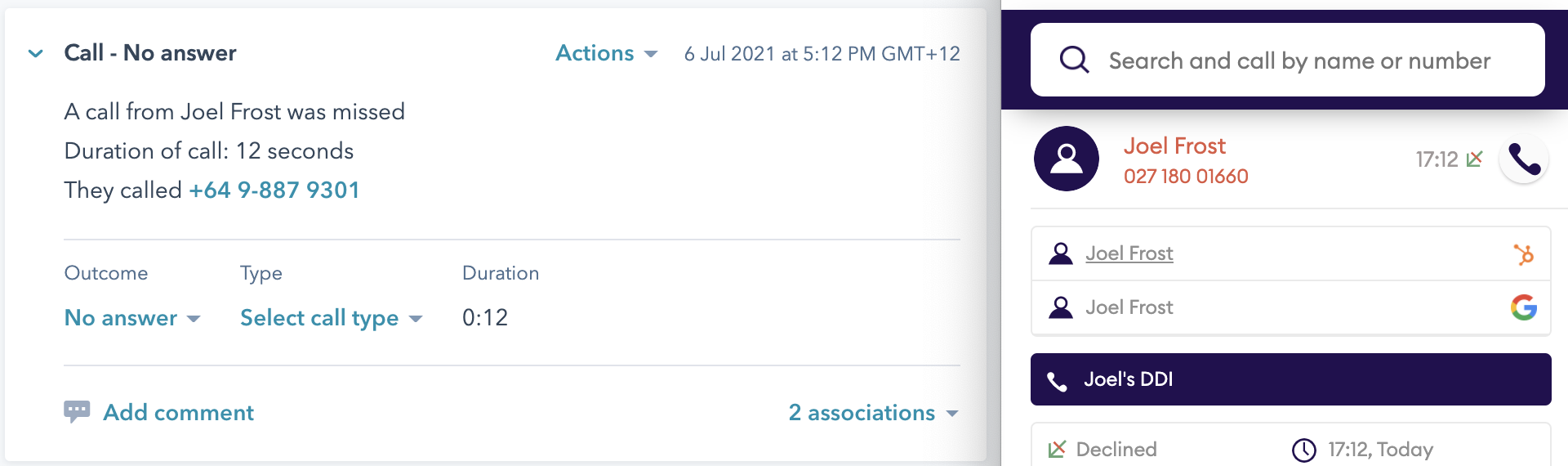
- Automatic call logging: every call is recorded as a HubSpot engagement on the right contact (and the right company, where one is matched), keeping last-contacted dates accurate.
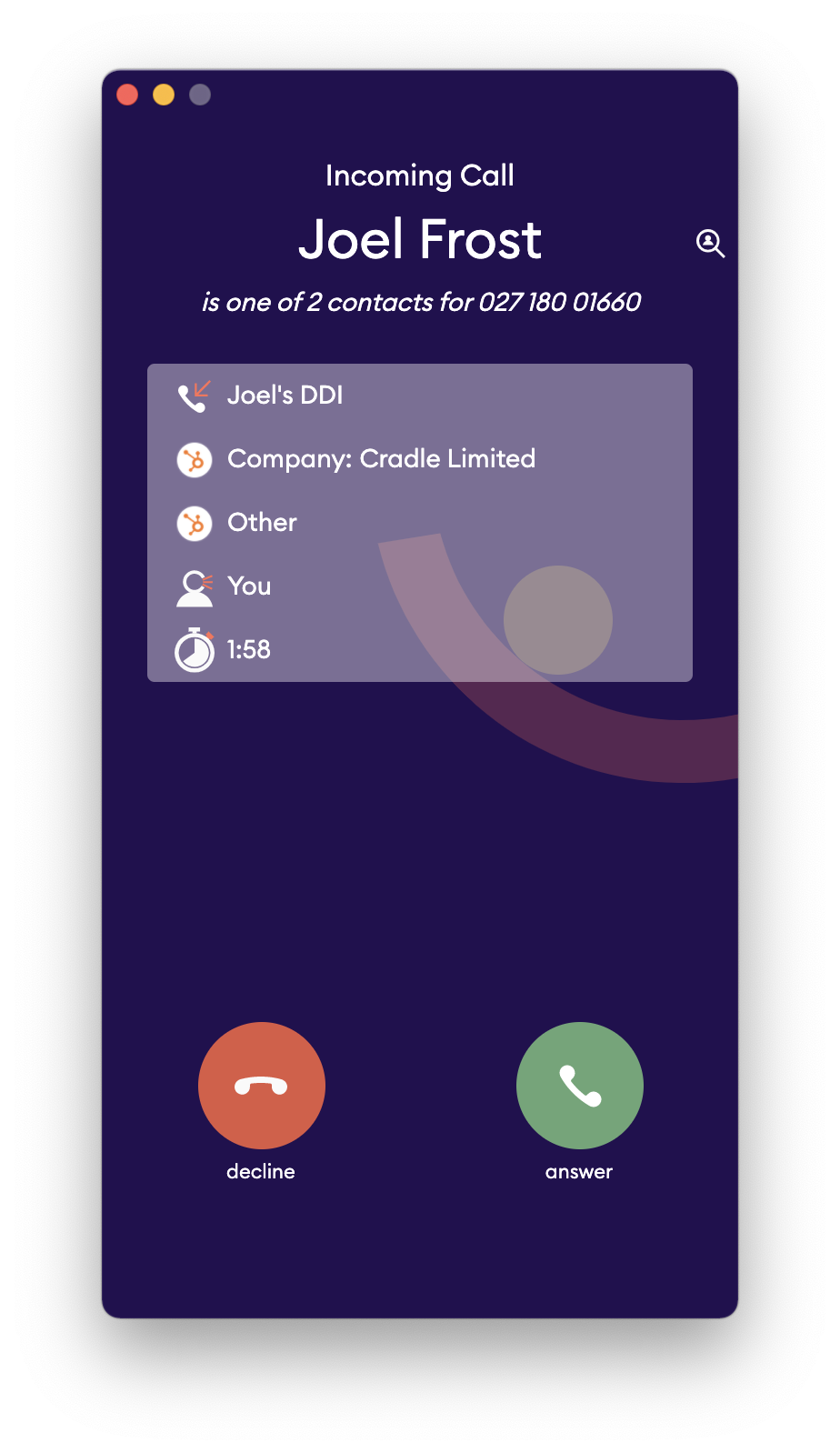
- Caller context in Cradle: when a HubSpot contact calls in, their name, company, and owner appear on the Cradle call screen.
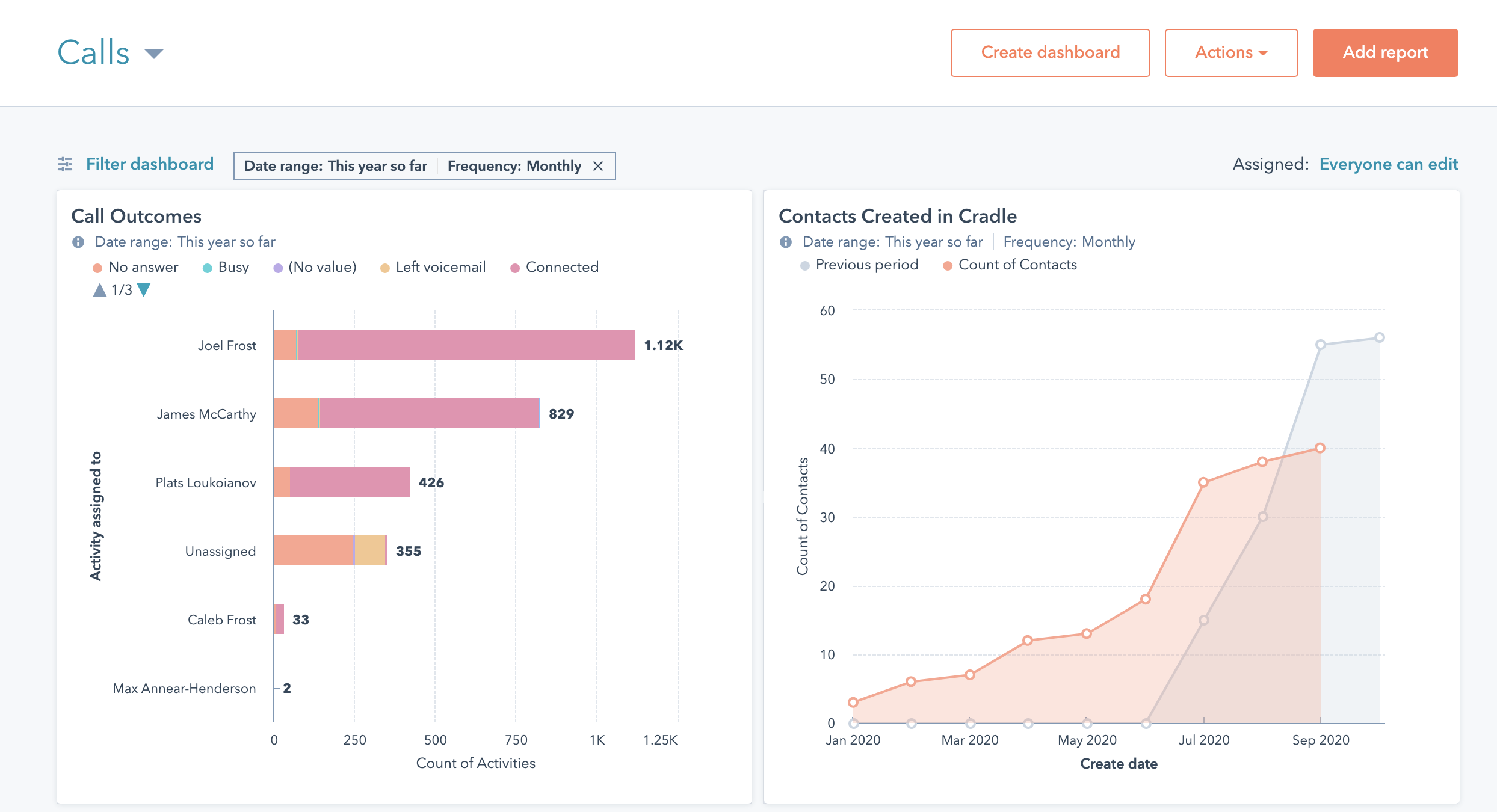
- Filtering and reporting: use the Last contacted property in HubSpot to find customers you haven't spoken to in a while.
How this helps different roles
Sales leaders
- Measure team activity and outreach by channel.
- Route inbound calls to the contact owner so customers reach their main point of contact.
- Spot prospects you haven't followed up with using the Last contacted filter.
Customer experience and support
- See the full history with a customer before you pick up.
- Match callers to their owner so you can route quickly when needed.
- Reach out proactively to customers who've gone quiet.
Reception
- See who's calling, by name and company, before answering.
- See who normally looks after the caller, so you can transfer them straight to the right person.
Set it up
You can connect from either side. Both paths end at the same HubSpot approval screen, and both need you to be an administrator in Cradle.
From the Cradle admin portal
- Sign in to the Cradle admin portal as an administrator.
- Open Integrations from the left-hand menu.
- Find the HubSpot card. Click Connect To HubSpot if it isn't connected yet, or Settings if it already is.
From the HubSpot marketplace
- Find Cradle in the HubSpot App Marketplace and choose Install app.
- You'll be taken to the Cradle admin portal. If you're not signed in yet, sign in as an administrator and the connection carries on where it left off.
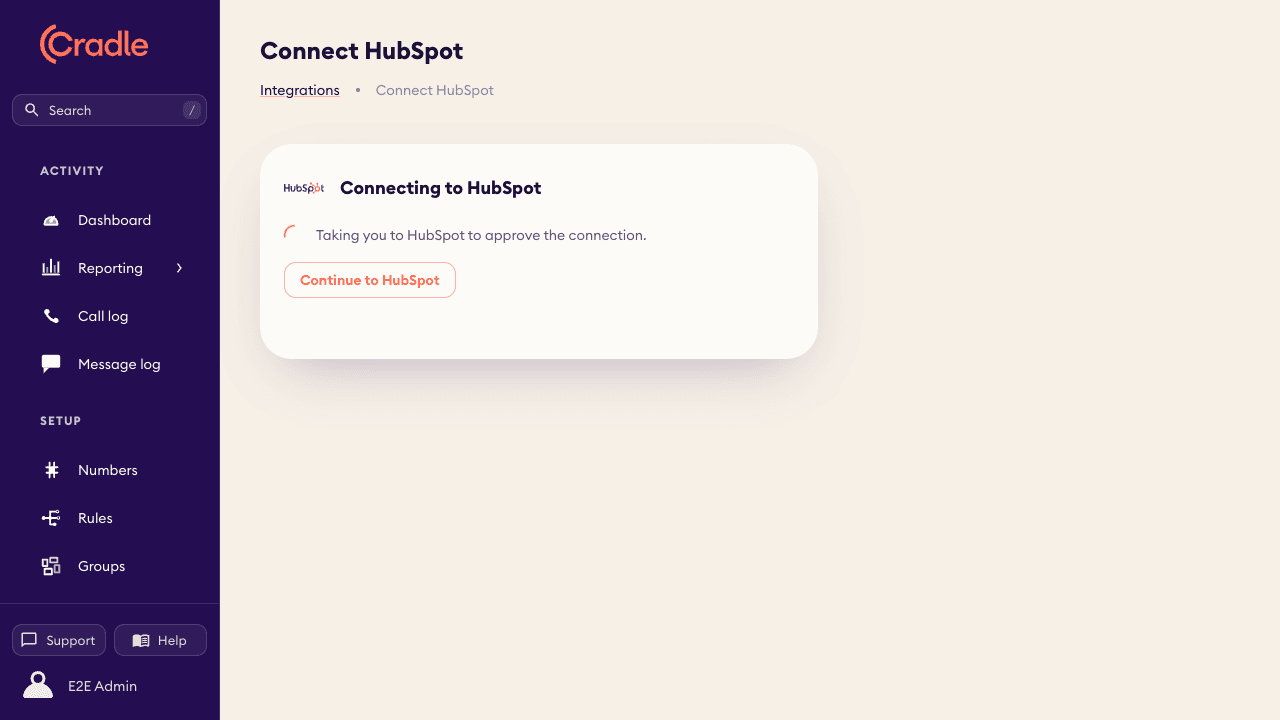
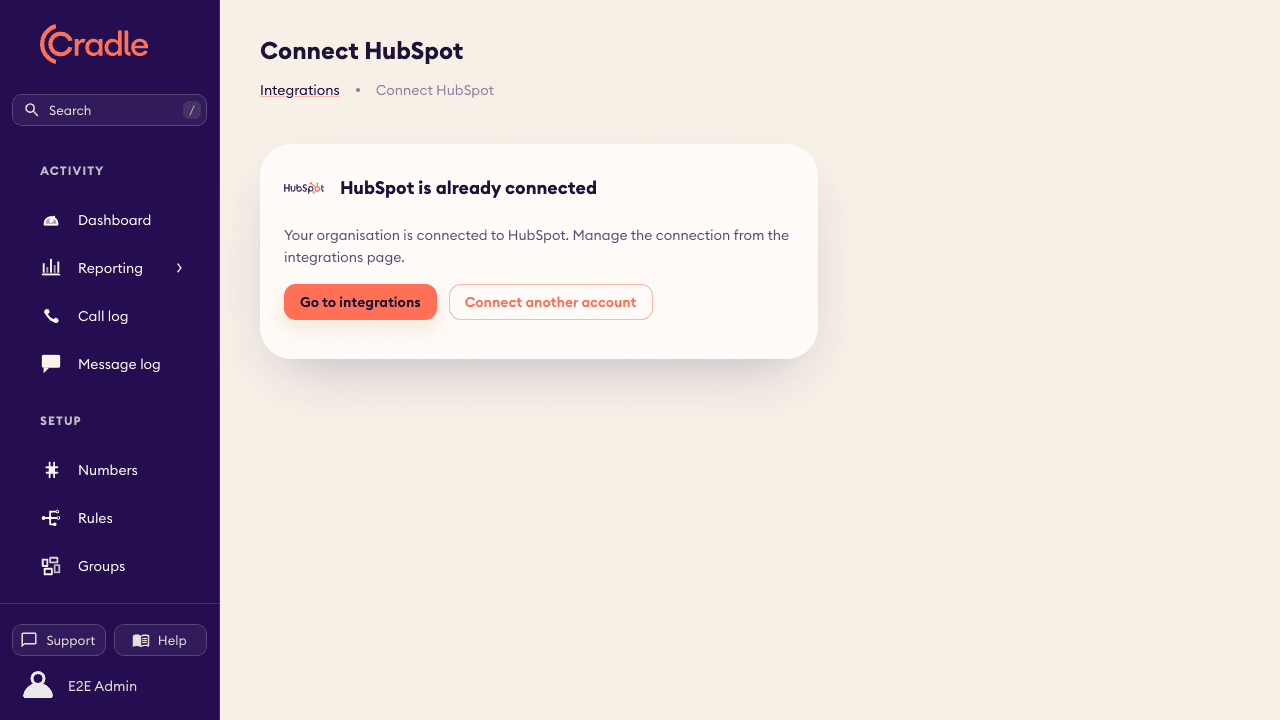
If your organisation is already connected, the same page offers to take you to the integrations page instead, so clicking Install twice can't create a duplicate connection.
Approving the connection in HubSpot
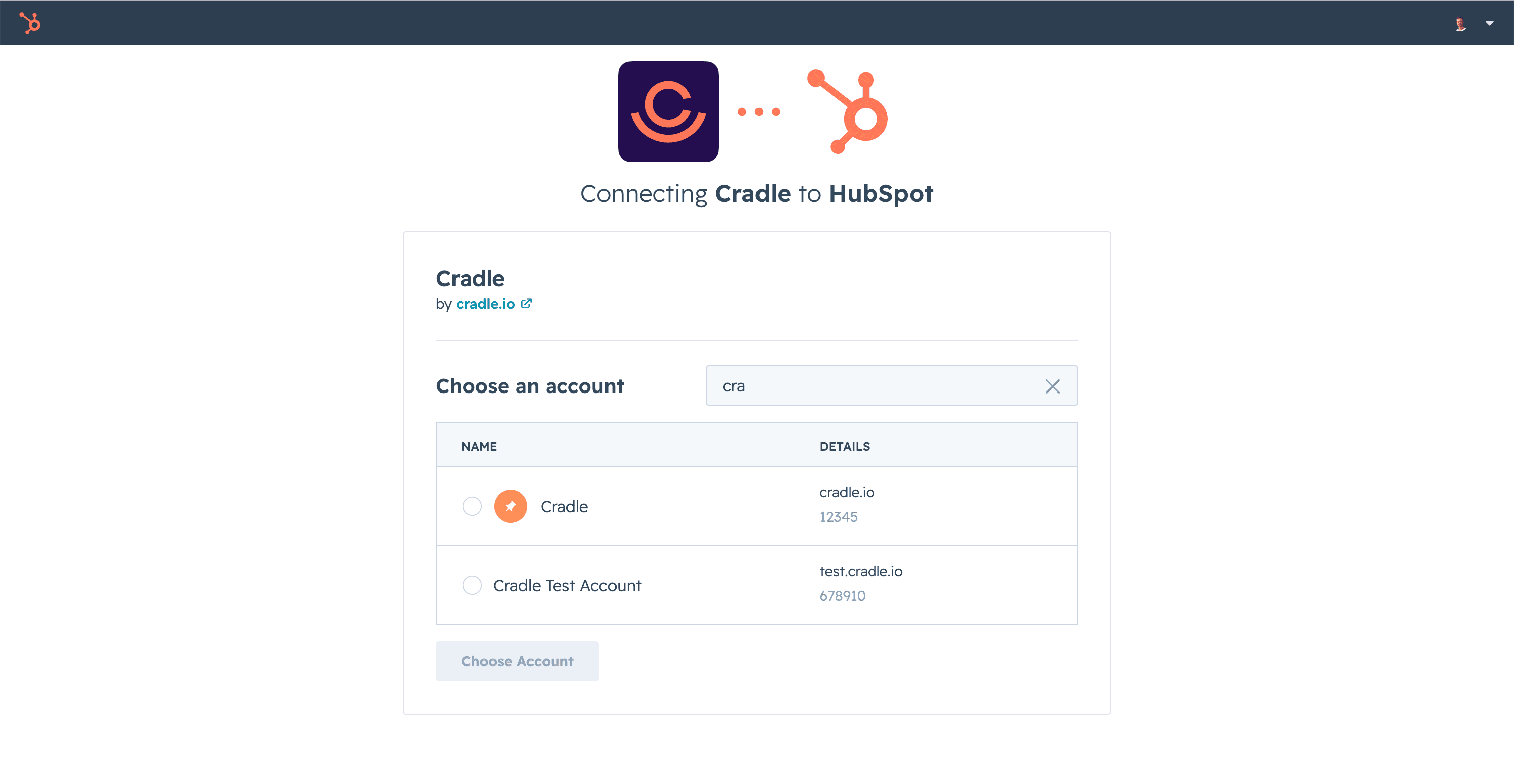
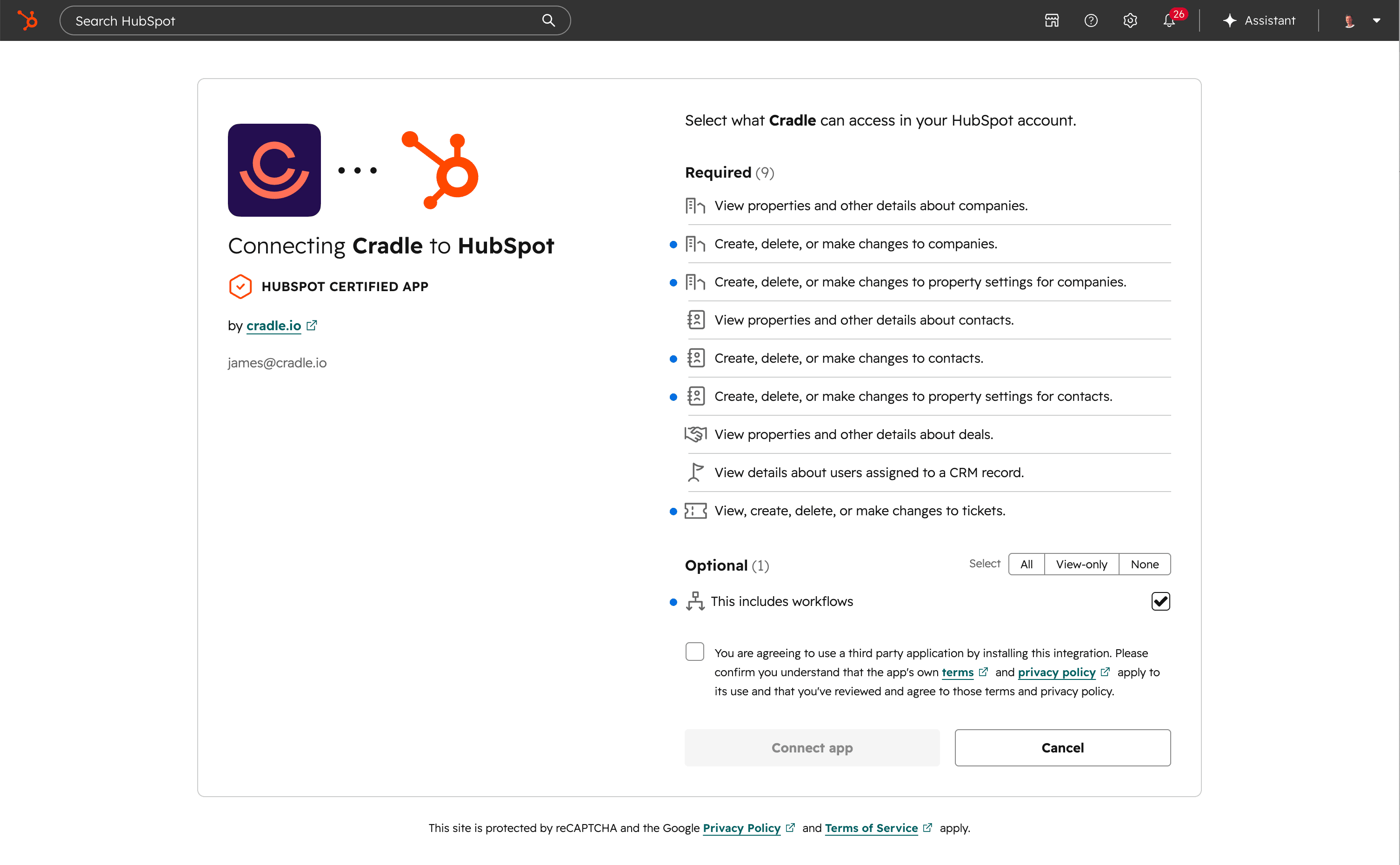
Whichever path you start from, HubSpot then asks you to approve the connection:
- Choose the HubSpot account you want to connect. If you're a member of several accounts, pick the one your team works in.
- Review the access Cradle requests, then choose Connect app.
That's it. You'll land back in the Cradle admin portal and calls will start logging to HubSpot from the next call onward.
What Cradle asks permission for
During approval, HubSpot shows the access Cradle requests. In plain terms:
- Contacts and companies (view and edit): to show callers by name, log calls to the right records, and let you save new contacts and companies from a call.
- Contact and company properties (set up): to add Cradle's own fields, such as Last contacted, when you first connect.
- Owners (view): to show who looks after a caller and support routing to the contact owner.
- Deals and tickets (view): to attach calls to a caller's open deal or ticket so the activity lands where your team works.
- Workflows (optional): only used if you set up Cradle's voicemail workflow automations.
Cradle only reads and writes what the integration needs for calling. Nothing else in your HubSpot account is touched.
Connecting more than one HubSpot account
Cradle can connect multiple HubSpot accounts to a single Cradle organisation, with calls logged to the right account per phone number. This is in private beta: if you'd like it for your organisation, get in touch with our support team from the chat in the admin portal and we'll set it up with you.
For more on what to do next, browse the rest of the HubSpot articles. To remove the integration later, see Disconnecting and uninstalling HubSpot.