Integrations
Cradle and HubSpot workflow: phone call attribution
Attribute inbound calls to a specific campaign by tagging the Cradle number used as the call-to-action.
If you run campaigns with a dedicated phone number (for example, an Australian number used in a particular email nurture), you can attribute inbound calls back to that campaign using a HubSpot workflow.
In this walk-through we'll use a campaign number of +61 2 5550 0400. Swap in your own.
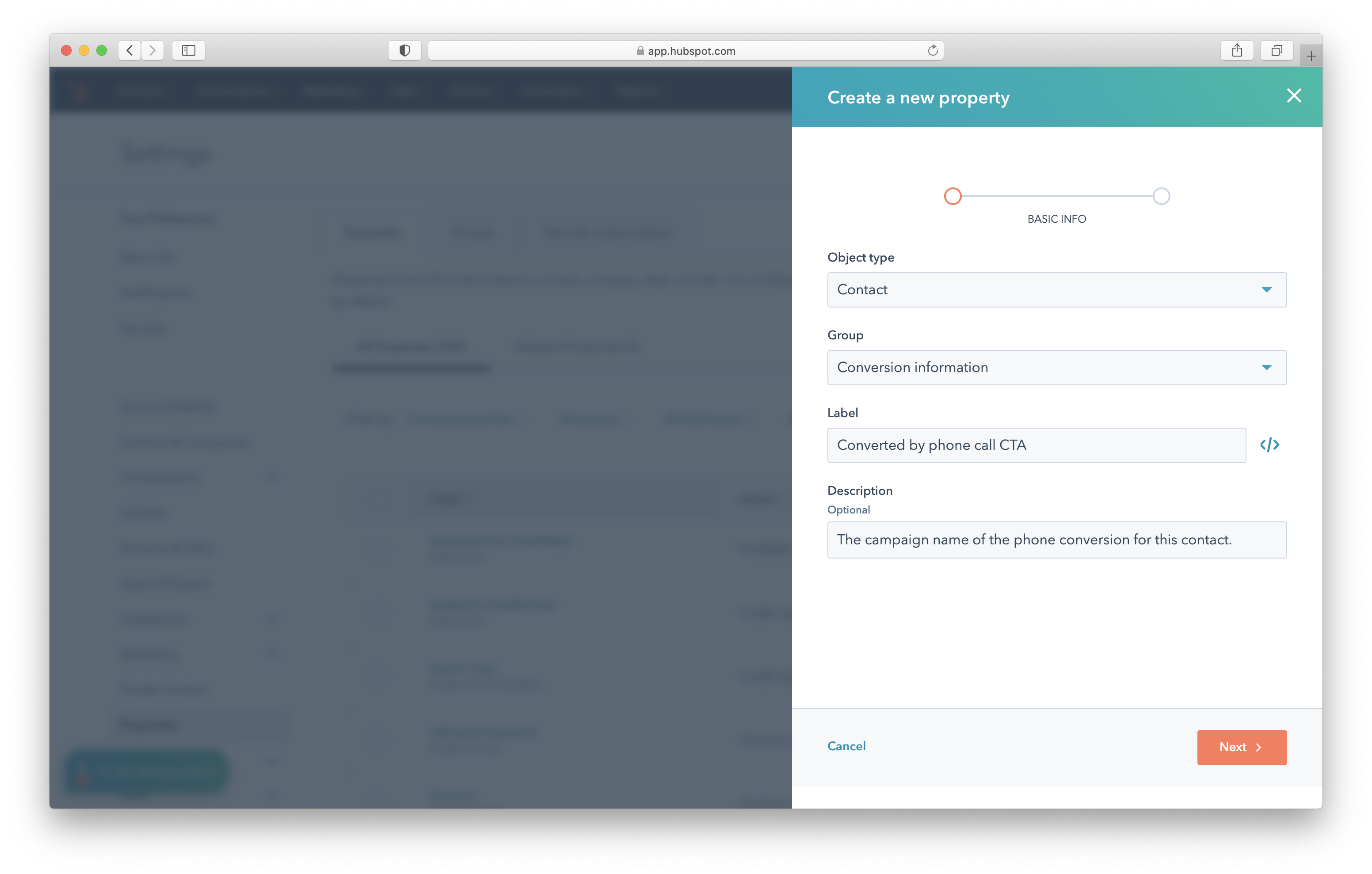
1. Create the attribution property
HubSpot's built-in attribution fields only capture website analytics, so you need a custom contact property to record phone-call attribution.
On contacts, create a new Single-line text property called Converted by phone call CTA. You can add it to the Conversion information property group or to the Cradle property group, whichever you prefer.
Keep a record (Google Sheet, Notion page, Confluence page, anywhere) that maps campaign numbers to campaigns and the dates each campaign runs. That makes it easy to reuse numbers later, ideally with at least a one-month stand-down between campaigns.

2. Build the workflow
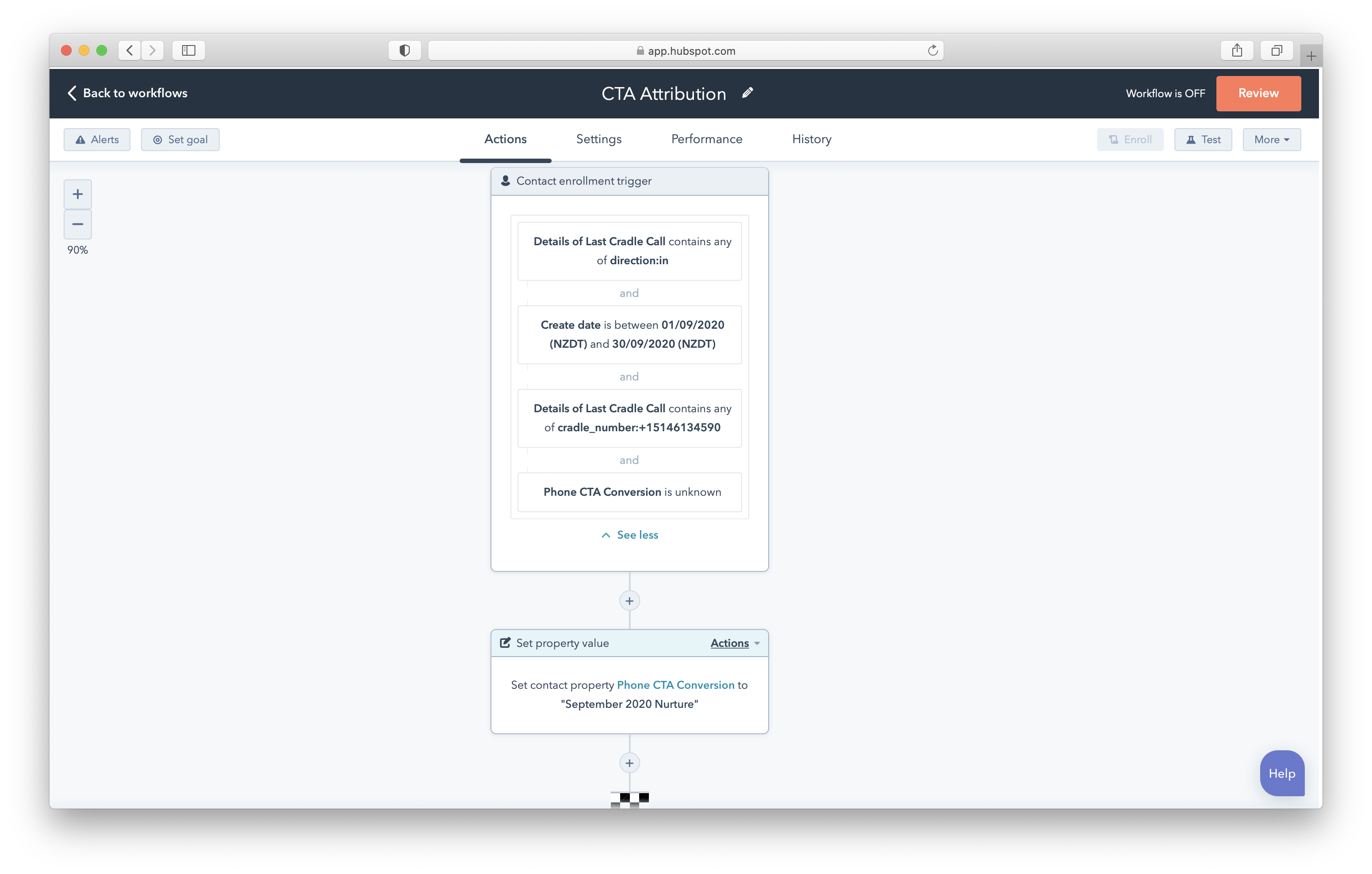
Create a contact-based workflow with the following enrollment triggers (combined with AND):
- Details of Last Cradle Call contains any of
cradle_number:+61255500400(substitute your campaign number, no spaces) - Details of Last Cradle Call contains any of
direction:in - Create date is between
[your campaign date range] - Converted by phone call CTA is unknown
3. Set the action
When a contact matches, set Converted by phone call CTA to your campaign name (in this example, "September 2025 AU nurture").
Add any follow-up actions you want, for example assigning the contact to the rep who owns that campaign or adding them to a list.