
Partners
Transcribe a voicemail in the contact record
Access key information from HubSpot contacts at a glance with a transcription of voicemails left on the contact record.
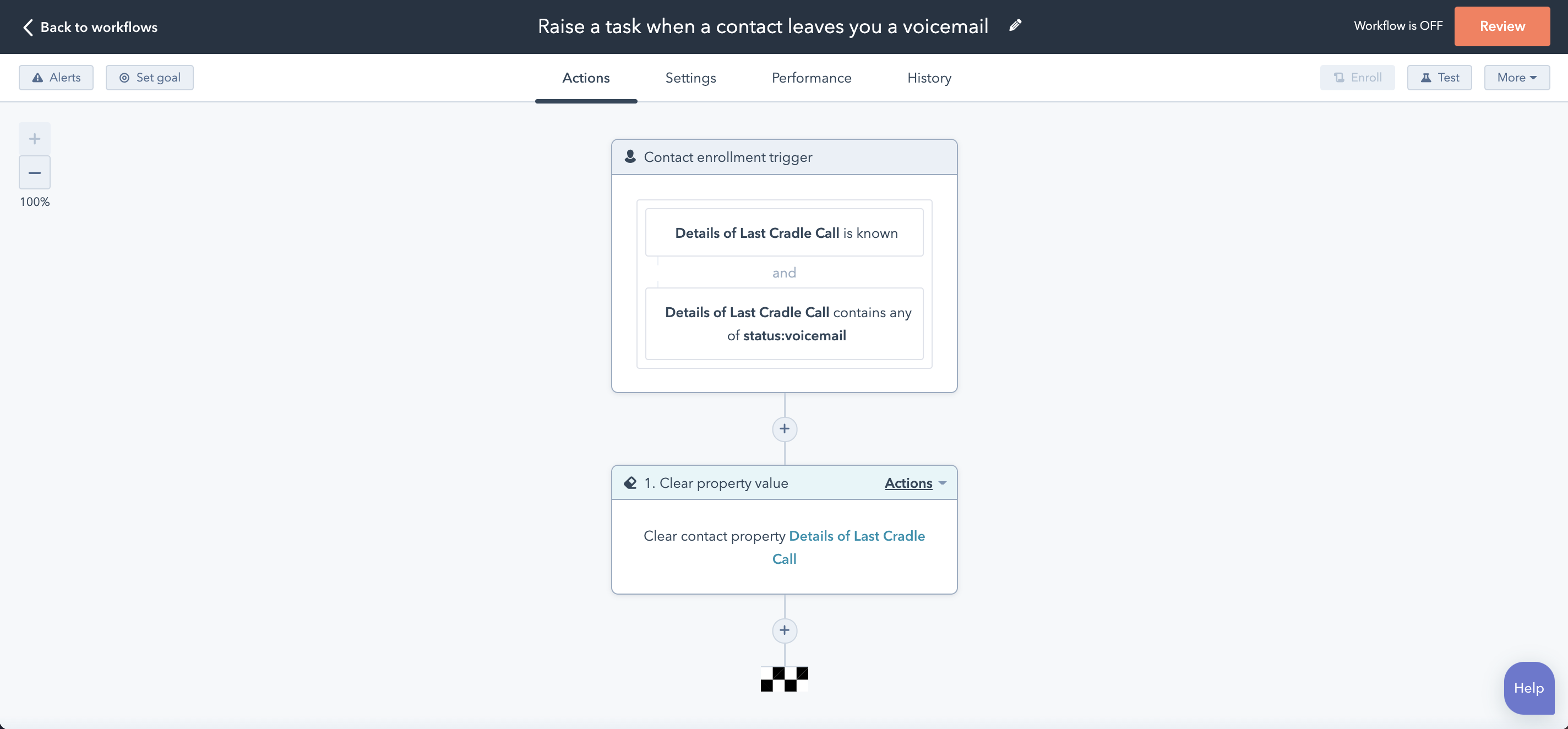
Cradle triggers used
- Details of Last Cradle Call
Cradle triggers used
- Details of Last Cradle Call
Putting together the workflow
Choose the enrollment trigger Details of Last Cradle Call is known.
To ensure you're selecting the right calls you will also need to include a second enrollment trigger with Details of Last Cradle Call contains any of status:voicemail.
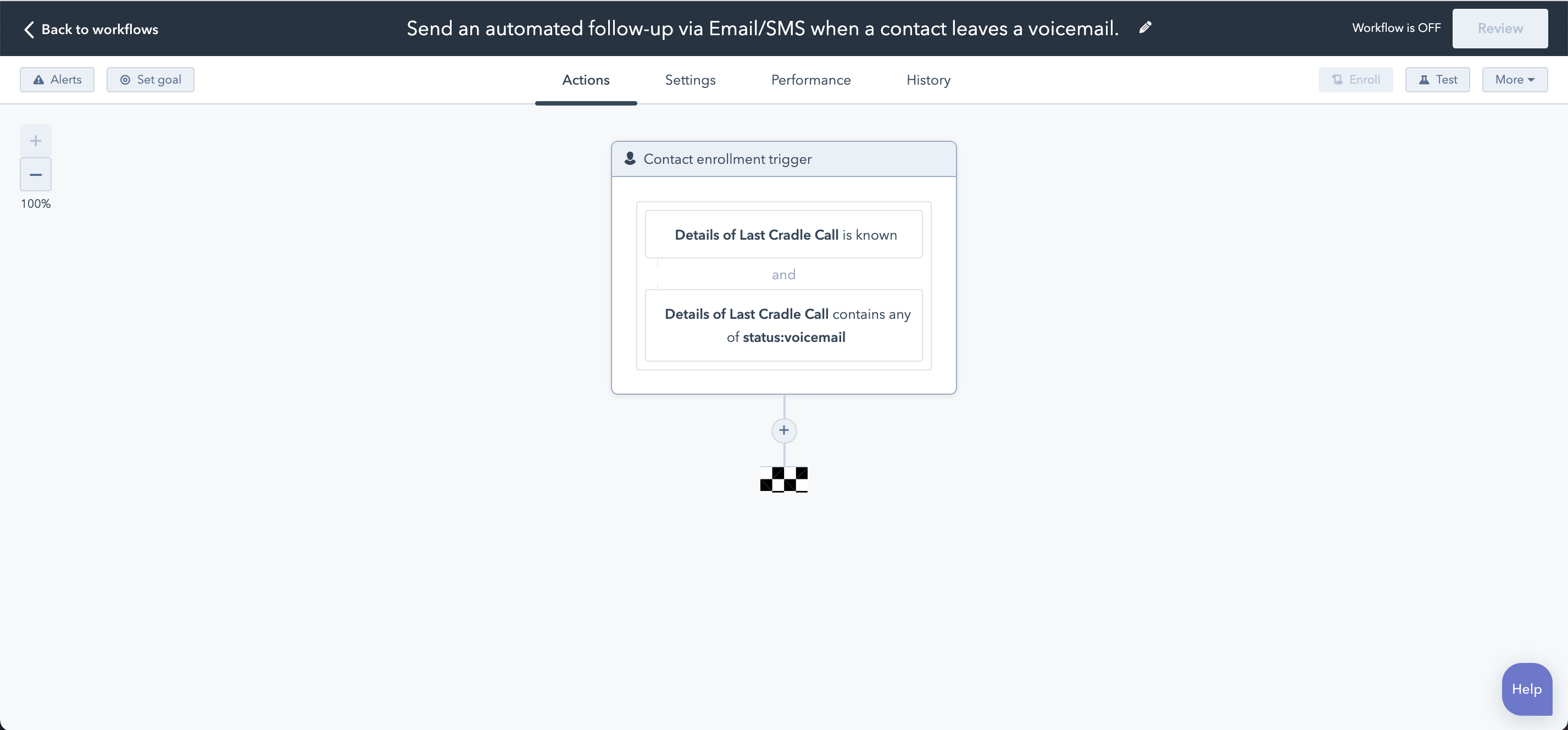
Choose an action
Choose any action that you would like to happen when this event is triggered. In our case, we have shown two examples of sending out an automated email and an SMS.
Transcribe
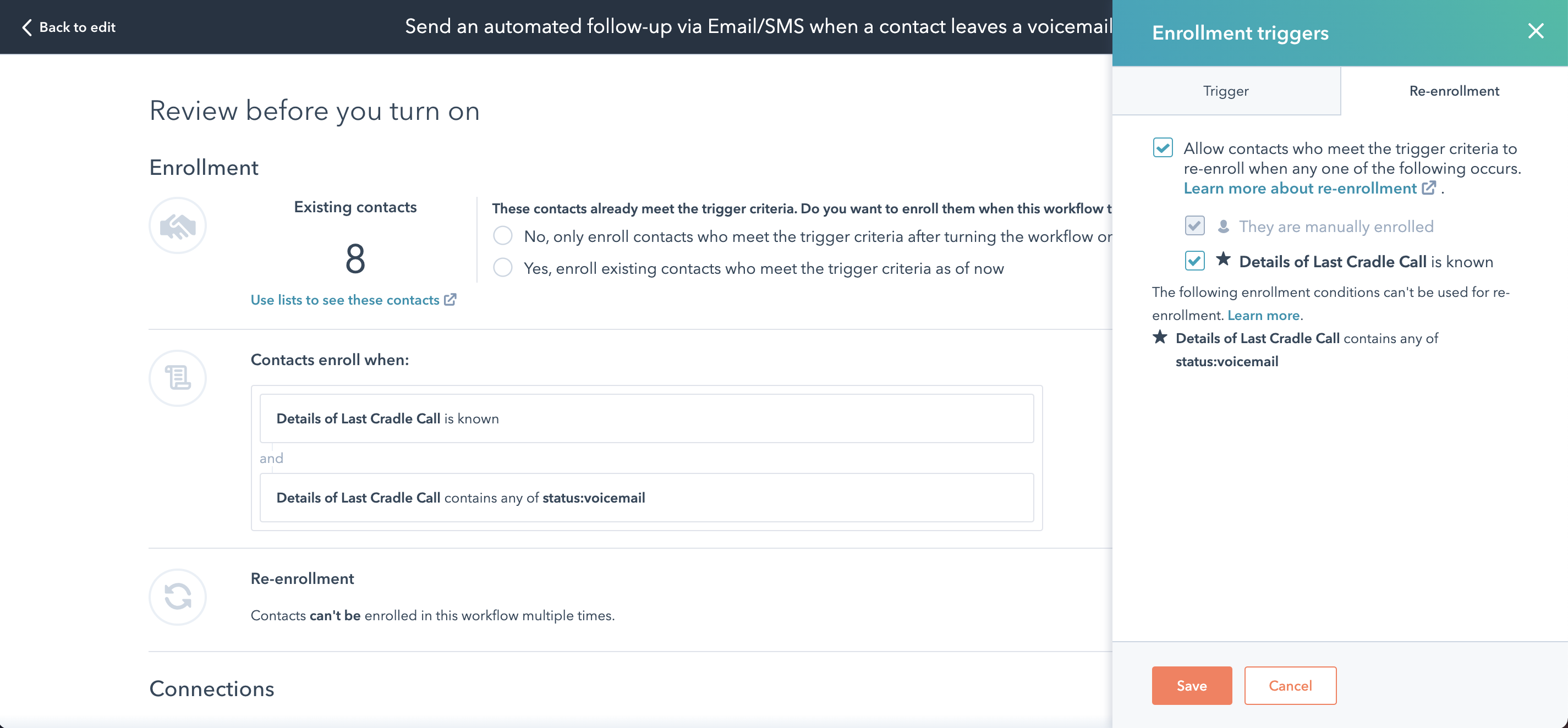
Enrollment and Re-enrollment
To ensure that the workflow doesn't stop after the first voicemail left from a contact, click on 'review' and head over to the 'Re-enrollment section' and select Allow contacts who meet the trigger criteria to re-enroll when any one of the following occurs, and check the box beside Details of Last Cradle Call is known to re-enroll contacts every time a call is received.
That's it!
Save, and then test your workflow!
Ensure that you end the workflow with a Clear property value step and clear the Details of Last Cradle Call contact property to make sure that contacts get re-enrolled in this workflow if they leave another voicemail before you've called them back.